
Buying guide · updated Oct 2026
Best computer for office work & Tally billing
Billing and accounts software is not demanding — but a slow hard disk or too little RAM makes every day frustrating. Get these basics right.
The checklist
What matters
An SSD
The single biggest speed boost — fast start-up, quick reports.
8GB RAM
Comfortable for billing software, browser and Excel together.
Intel i3 / i5
Plenty for billing and office work.
A UPS
Protects data and the PC during power cuts.
Live prices
Assembled PC pricesSystems that suit offices
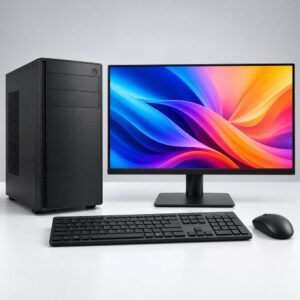
Billing setup
Complete billing counter
- Billing printer: thermal receipt printers (for example TVS) are fast and need no ink.
- Barcode scanner: speeds up billing for shops — see scanners & barcode.
- UPS: see power & UPS.
- Backup: an external drive or pen drive for daily backups of your company data.
FAQ
Questions people ask
Does Tally need a powerful computer?
No. A modern i3 or i5 with an SSD and 8GB RAM runs it smoothly; the SSD matters most.
Should I buy a laptop or desktop for billing?
A desktop with a UPS is better for a fixed counter — cheaper, easier to repair and upgrade.
Keep exploring
More buying guides
Best Ink Tank Printer for Home (2026)
Print-scan-copy, Wi-Fi and running cost — and our picks with prices.
OpenCanon vs Epson vs HP vs Brother Ink Tank Printers
Strengths of each brand and who should buy which.
OpenHow Many CCTV Cameras Do I Need?
Plan cameras for a home, shop or office in five minutes.
OpenStill deciding? Ask us.
WhatsApp us your use and budget — we reply with an honest suggestion and today’s price.